Connect Wix to SEOryon
Paste a Wix API key and your Site ID, and approved articles publish to your Wix blog with a cover image, tags, and the SEO title and description already filled in.
- How it connects
- Wix API key plus your Site ID
- Edit after publishing
- Yes, updates republish the same post
- Delete and unpublish
- Yes, from SEOryon
- Tables
- Yes. Structure preserved, styling follows your Wix theme.
Before you connect
Get these in place first. They are the difference between a connection that goes green and one that fails on the first publish.
Do not skip this one
Your Wix site must have been published at least once. Wix needs a site owner to exist, and creating a post fails on a site that has never gone live.
- The Wix Blog app installed on the site. It is free, in the Wix App Market.
- An account-level Wix API key and your Site ID.
How to connect, step by step
The same steps SEOryon walks you through in the app, with the screens you will actually see.
- 1
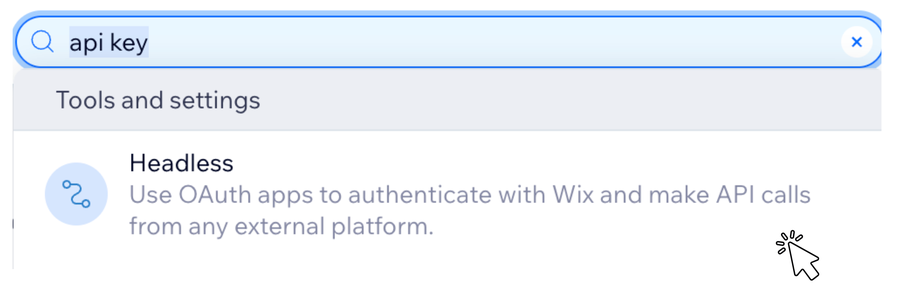
In Wix, use the top search bar and search api key, then open the Headless result.
Wix search: api key, then Headless. - 2
On the Headless Settings page, under Administrator API key, click Manage API keys.

Headless settings: Manage API keys. - 3
Click Generate an API key.

API keys: Generate an API key. - 4
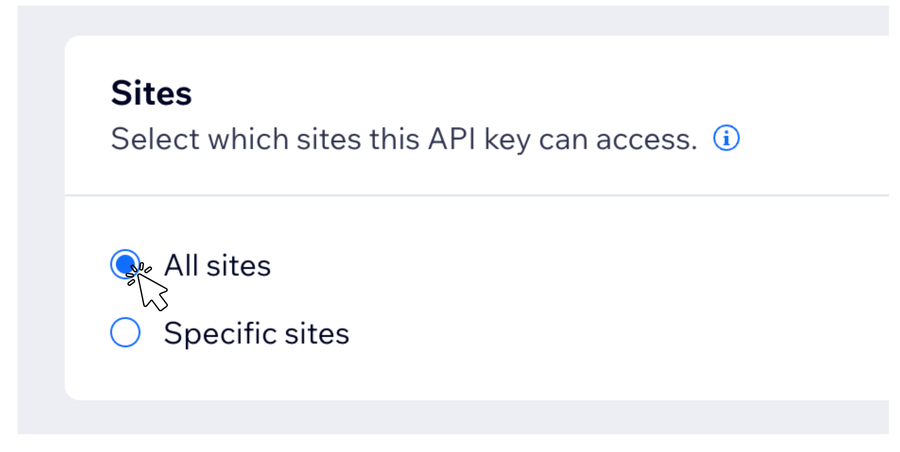
Under Sites, choose All sites. Specific sites also works if you prefer to scope it.
Sites: All sites (or scope it). - 5
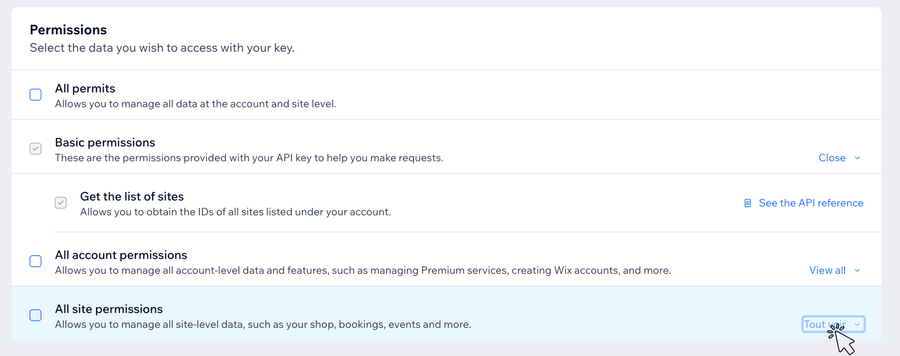
Under Permissions, expand All site permissions to reveal the granular toggles.
Permissions: expand All site permissions. - 6
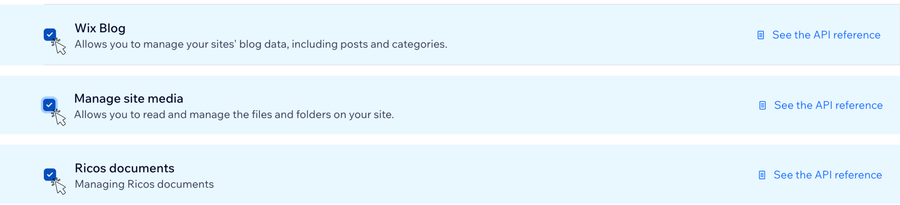
Tick three permissions by their exact Wix names: Wix Blog, Manage site media, and Ricos documents. Granting All site permissions also works and is the simplest path.
Tick Wix Blog, Manage site media, Ricos documents. - 7
Click Copy the token (Wix shows it only once) and paste it into the API key field in SEOryon.
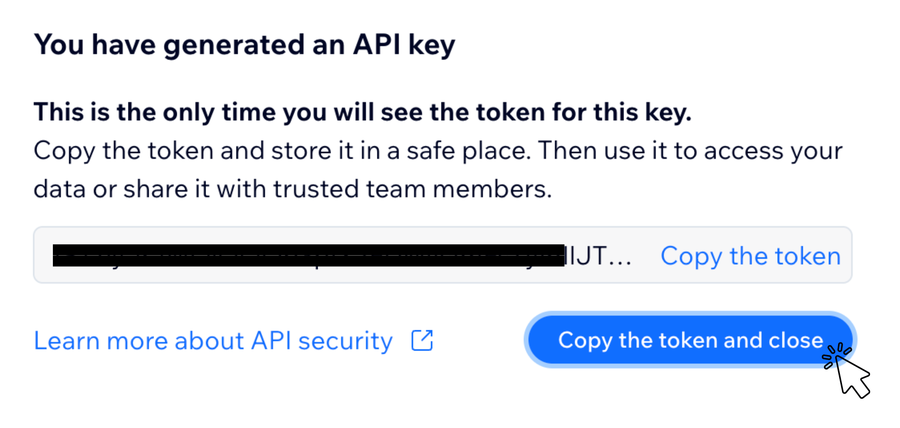
Copy the token, then paste it into SEOryon. - 8
For the Site ID, search site ID in the Wix top search bar. If your account does not surface it that way, open your site dashboard and copy the long code in the address bar right after manage.wix.com/dashboard/.

The Site ID sits in your dashboard URL.
What happens when you click Connect
Connecting runs a real test publish. SEOryon creates a draft, verifies it, deletes it, and only then marks the connection healthy, so a connected badge means publishing genuinely works.
What you can do once Wix is connected
- Create posts, and update them in place.
- Delete and unpublish remotely from SEOryon.
- Cover image, rehosted on Wix so it is served from your own site.
- Tags, plus the SEO title and meta description filled in for you.
- Tables publish with their content preserved.
What to know about Wix
The honest part. Every platform has edges, and you should hear about them from us before you hit them.
Wix renders from its own content model, so table and paragraph styling (borders, gridlines) comes from your Wix theme. The table structure stays intact even when it looks flat.
Images inside the article body are not carried over to Wix. The cover image publishes with the post.
The article inherits the language of your Wix site.
Comparison tables publish as real tables on Wix. See the full table support matrix.
What publishing looks like
Approved articles publish to your Wix blog with the cover image, tags, and SEO fields already set, in your site's design.
SEO on Wix
Best practices that move the needle
Far more capable than its reputation, as long as you use the SEO settings it provides.
- Fill in the SEO settings panel on every page, including the social share preview.
- Avoid stacking heavy animations and apps that delay the first meaningful paint.
- Use the built-in structured-data controls for articles, products, and FAQs.
- Keep URLs short and readable, and redirect any auto-generated ones you replace.
- Publish consistent blog content to build the topical depth product pages lack.
 GoHighLevel
 Base44
 Lovable
See it on your own site, free.
Start a 3-day free trial and generate 3 real articles on your own site before you decide. Cancel before day 3 and you pay nothing.
- Done-for-you articles, monthly
- Built on your real search data
- Publishes straight to your CMS
- Built for Google and AI search
- 3-day free trial, cancel anytime